Turn any page into a clean PDF
Save the page you're reading, every chapter of the course or guide it's part of, or the pages it links to. Then study them in Alice, or open them in ChatGPT or Claude.
 Add to Chrome, it's freeFor Chrome on a computer. Connect a free Alice account once.

How it works
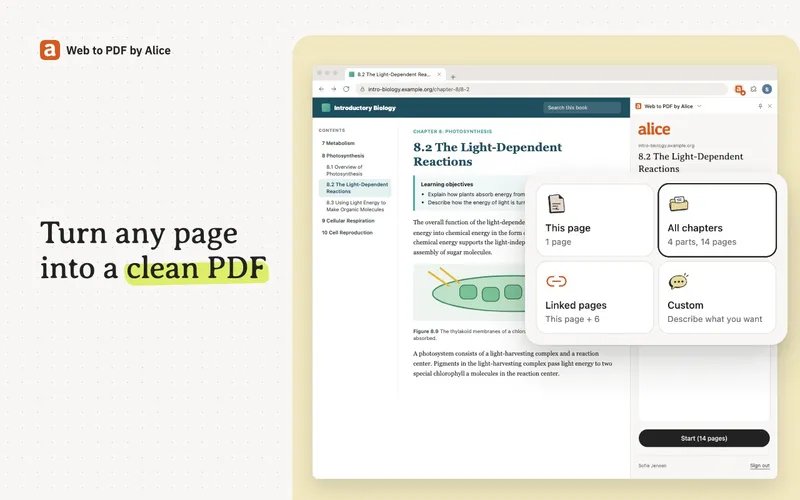
Pick what you want
This page, all chapters, the pages it links to, or say it in your own words.
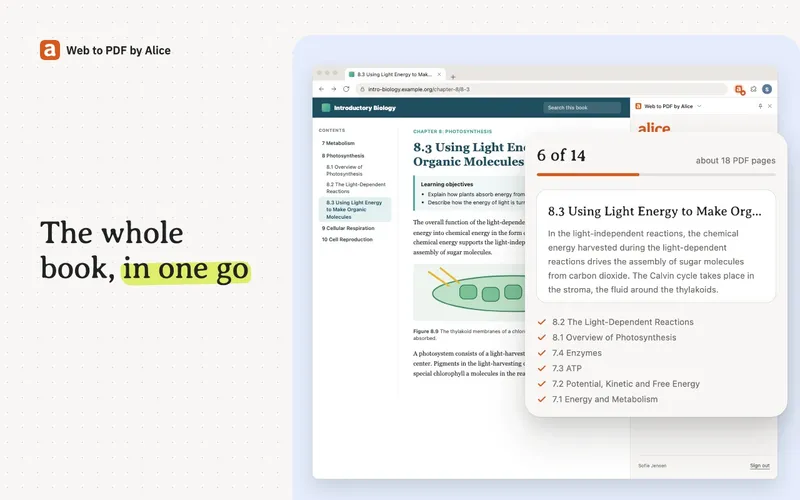
It reads every page
In your own tab, page by page, while you wait: up to 300 pages and 50 linked PDFs.
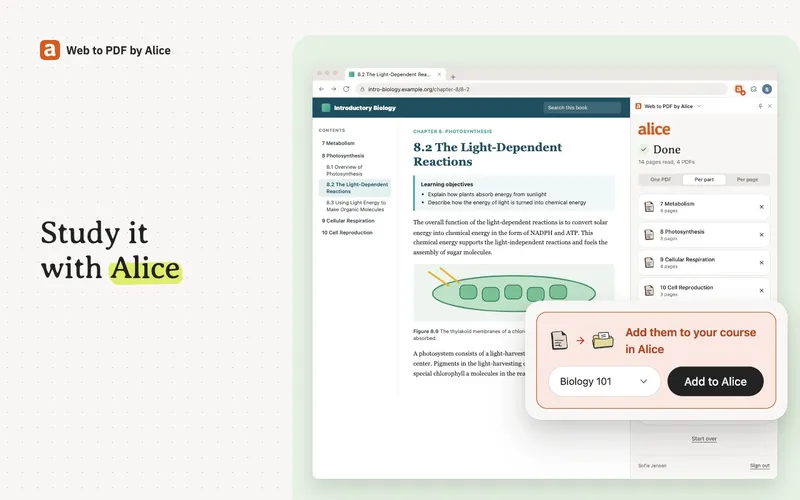
Add it to Alice
Or open it in ChatGPT or Claude, or download it. One PDF, one per part or one per page.
What you get
Many pages, one PDF
A whole course or guide, read page by page for you: up to 300 pages and 50 linked PDFs in one go.
Clean to read
No menus, ads or cookie banners. Headings and images kept.
Works where you're signed in
It reads in your own tab, so your school's course pages work too.
Study it anywhere
Add it to your course in Alice, open it in ChatGPT or Claude, or download it.
Questions
Is it free?
Yes. Add it from the Chrome Web Store and connect a free Alice account once. Saving PDFs costs nothing.
Which browsers does it work in?
Chrome, or a browser built on it like Edge or Brave, on a computer. It isn't available on phones.
Does it save the PDFs a page links to?
Yes. PDFs a page links to, like lecture slides, come along as files of their own.
How many pages can it save?
Up to 300 pages and 50 linked PDFs in one go. Untick some to reach the rest.
More ways to study your course
- Explainer videosShort videos that draw a topic out step by step, made from your slides and notes.
- PodcastsYour course as a podcast, with Alice and Max talking it through. Listen anywhere.
- Practice questionsMultiple choice, true or false and open questions from your course, with feedback on every answer.
- FlashcardsCards made from your notes: a term or question on the front, a short answer on the back.
- Oral exam practiceA mock oral exam: an examiner asks, you answer out loud, and you get feedback on every answer.
- AI tutorAsk anything about your course. Answers link to the pages they draw on.
- Speed readerRead pasted text, or a PDF with selectable text, a word at a time, every word in one spot. Free, with nothing to sign up for.
Any page, a clean PDF.
Add to Chrome, it's freeFor Chrome on a computer. Connect a free Alice account once.